Barbara was in charge of creating the titles. She had to learn where to place them and how to place them. Also the title sequence had to follow a certain order in which the titles had to come in.
After the IDENT use a FADE IN. The titles should then be in the following order:
(1) 'Your Production Company' Presents (NOVA PRODUCTIONS)
(2) A Film by 'One name - usually the director' (Ausrine Blazeviciute)
(3) Starring or With (Barbara)
(4) Male star (Ross)
(5) Female star or other way round (male-Michael)
(6) Title of film - or could be at the end (At end)
(7) Also starring - 2/3/names - each on separate title (-)
(8) Then 3/4/5 of the following - you choose - each on seperate title
Editing (Michael)
Music (Barbara)
Cinematography or Director of Photography (Ausrine)
Casting
Set Designer
Costume Designer
Script (Ross)
(9) Then Producer(s) - can be more than one (Ross)
(10) Always finish with Director - one name, usually the same as A Film By ...(Ausrine)
(11) Could put title here (GONE)
Remember to use LiveType and try to make titles interesting. They can be either over black or superimposed over your film. Space them out over the two minutes of the film.Give the audience plenty of time to read the titles.
(12) Finish with a fade out & fade music out
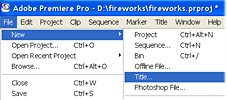 To edit the titles in you had to do the following:
- Select FILE
- Select NEW
- Select TITLE
Or you can press F9.
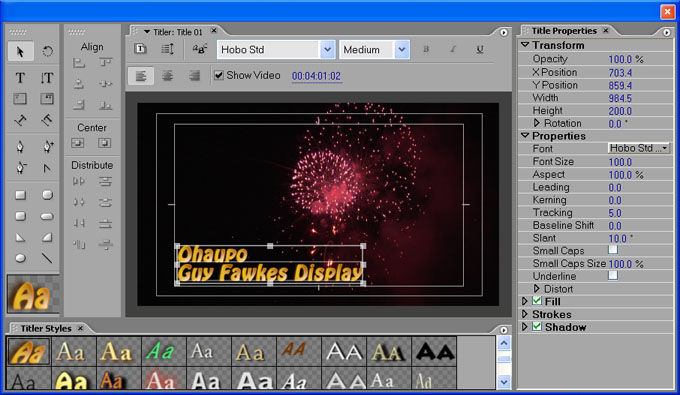
After this a window should appear like this:
The window will be over the selected scene. However, the title will appear on the left window with the rest of the scene. The title will be named and you can move it over what ever shot you want it to be over. You can change the text inside, alter the font, size and colour. In addition to this you can also change the length of the title by dragging it right for longer and left for shorter (like you do for video shots).

 This is where the first flashback will be filmed.
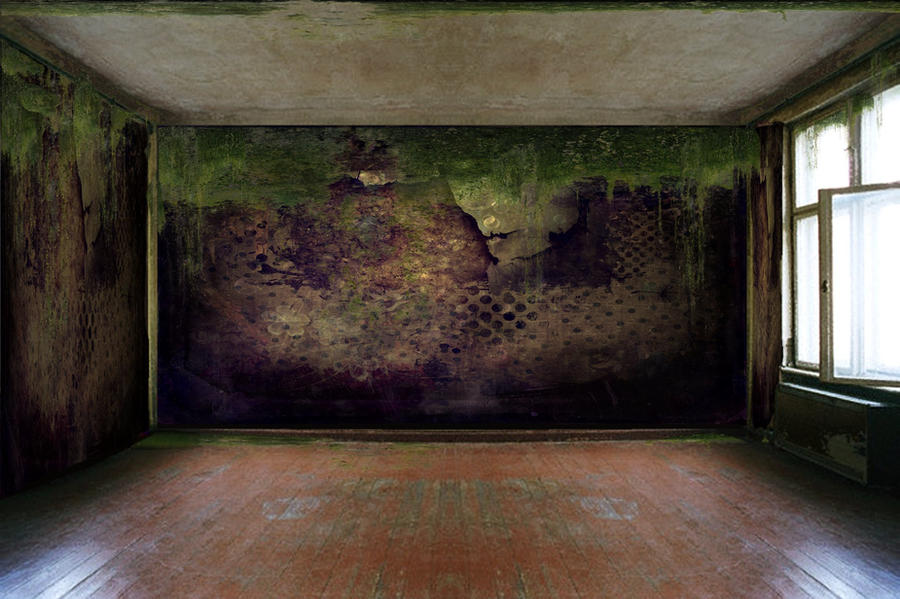 This wasn't the exact room. However, this kind of looked like it but it was darker. Also, we could've added more light and took some away as there were numerous switches that you could press.